Independent Viproud guide
Family thermometers that read in about a second
No-touch forehead thermometers, an ear thermometer with age modes and the accessories that go with them: every Viproud model sold on Amazon Canada, model by model and colour by colour.
1models
3options
1categories
1 stypical reading time
Quick temperature checks for the whole family
Viproud makes infrared thermometers for home use. The forehead models take a reading without touching the skin, the ear model measures inside the ear canal with a fresh probe cover each time, and every one of them shows the result on a backlit screen that changes colour when the temperature is raised.
Below is every Viproud product we found in stock on this marketplace from the brand’s own seller, grouped by model, with each colour or pack size as its own card. Specs come from the product listings.
The Viproud lineup
Every in-stock Viproud product on Amazon Canada, grouped by model. Each colour has its own card: tap “Learn More” for the current listing.
No-touch forehead thermometers
Point at the middle of the forehead, press one button and read the result about a second later. Every model also has an object mode for bath water, bottles and room temperature.

Best known
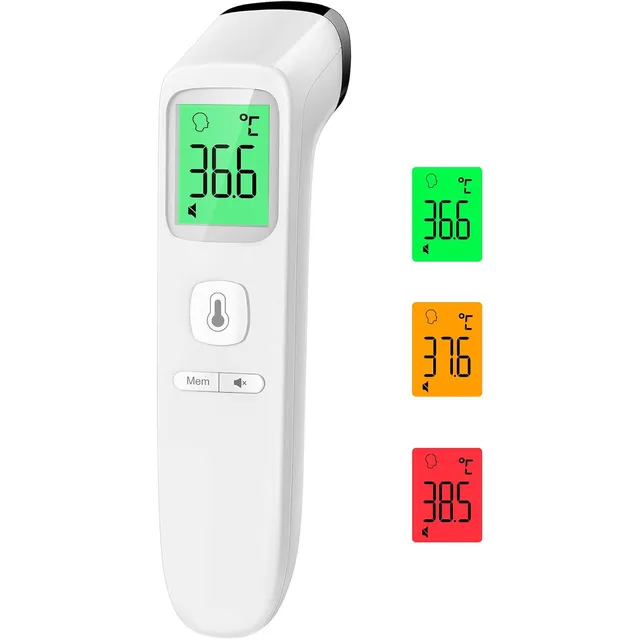
FC-IR202 No-Touch Forehead Thermometer
Viproud’s best-known model and the one sold in the most countries. Aim it at the middle of the forehead, press the single button and the backlit screen shows the result about a second later, turning green, orange or red depending on the reading. Switch to object mode for milk, food or room temperature, scroll back through 35 stored readings and mute the beep for checks on a sleeping child. Two AAA batteries are included.
- TypeNo-touch, forehead
- DisplayBacklit LCD, 3 colours
- Fever cueScreen turns green / orange / red
- Reading timeAbout 1 second
- Accuracy±0.4 °F
- Memory35 readings
- ModesForehead + object
- Power2 × AAA (included)
- Weight2.4 oz
Made for everyday family use
What the different models are designed to make easier.
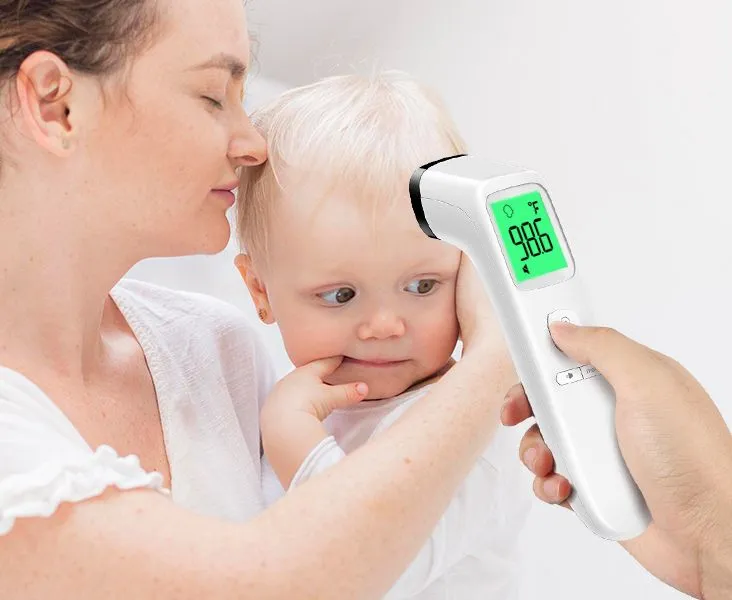
01
Checks without waking anyone
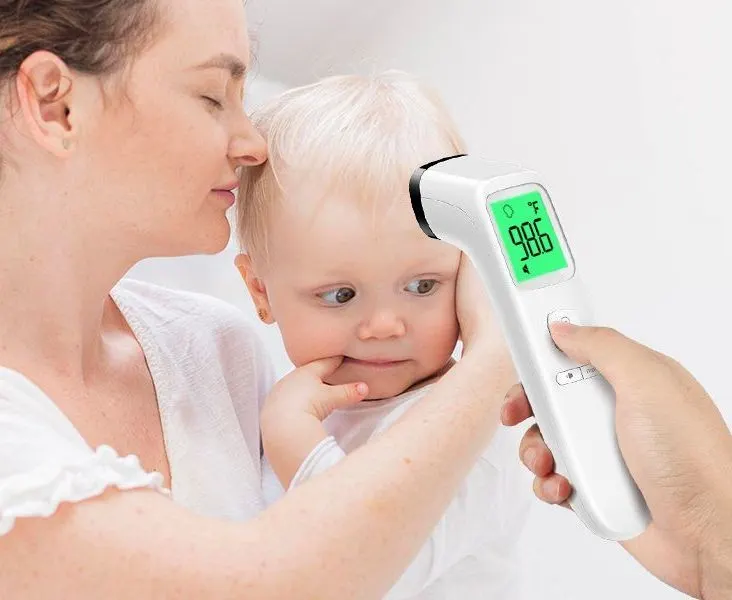
With the beep muted, a forehead model can take a reading on a sleeping child from a few centimetres away. The backlit screen is readable in the dark, and the last 35 readings are saved so you can see how the night went.
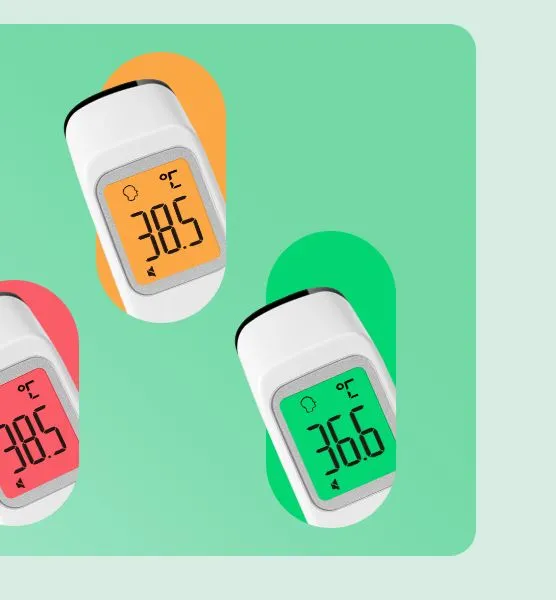
02
The colour tells you first
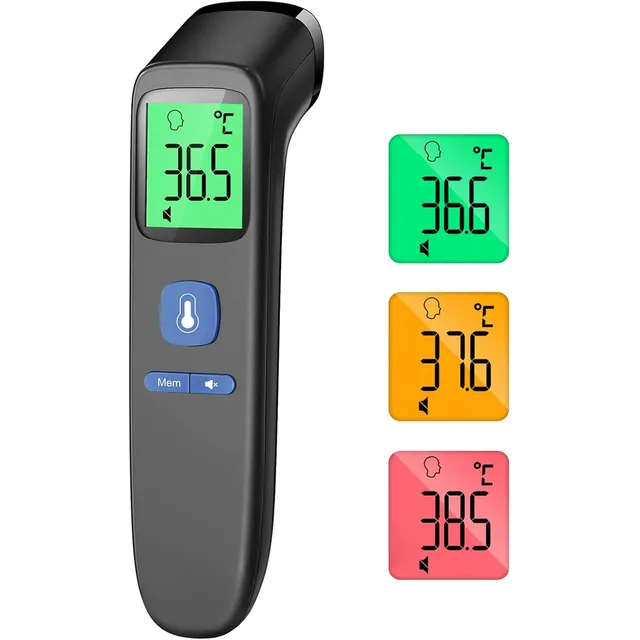
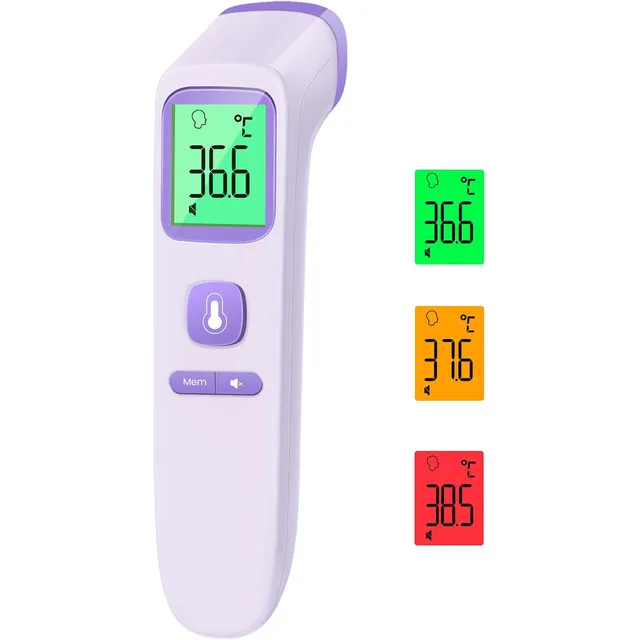
Every Viproud thermometer changes colour with the result: green for normal, orange or yellow for slightly raised and red for high. You know at a glance whether to look closer, even before reading the digits.
See them in action
Product videos from the brand, showing the screen colours, modes and how a reading is taken.
What all Viproud thermometers share
About a second
Infrared sensors give a reading in roughly one second, so even a wriggly toddler only has to keep still for a moment.
Colour-coded result
Green, orange or red on the screen, ring or button shows at a glance whether the reading is normal or raised.
30–35 memories
Readings are saved automatically, so you can follow a temperature over a day or a night without writing it down.
Silent mode
Turn the beep off for night-time checks. The backlit display stays easy to read in a dark bedroom.
How to take a reading
The basic steps from the product listings and quick guides, rewritten in short form. Always follow the manual that comes with your thermometer.
Get the forehead ready
Brush hair aside and wipe away sweat. After coming in from the cold or heat, wait a few minutes so the skin settles to room temperature.
Aim at the middle of the forehead
Hold the sensor at the distance given for your model (a few centimetres) and point it at the centre of the forehead, just above the eyebrows.
Press and read the colour
Press the button once. The result appears in about a second, and the screen, ring or button turns green, orange or red. Use object mode for bottles and bath water.
Care and batteries
Keep the thermometer in its pouch so the sensor lens stays clean, and wipe the lens gently with a dry cotton swab if it gets dirty. All models switch themselves off after a short time to save battery; the forehead models use two AAA batteries and the ear model two AA, all included.
If a reading looks wrong
- Reading lower than expectedForehead skin is usually a few tenths of a degree cooler than the inside of the body. Check the distance, remove sweat or hair and measure again after a minute.
- Different results one after anotherKeep the same distance and spot each time. Holding the thermometer too far away or at an angle changes the result.
This guide describes product features as stated in the listings. It is not medical advice: if you are worried about a temperature or blood pressure reading, contact a doctor.
What buyers say
Four- and five-star reviews from verified buyers on this marketplace, shortened.
★★★★★
“Seems accurate, reliable and easy to use”
★★★★★
“Great thermometer and works great…..love the different colours according to what your temperature is reading”
★★★★☆
“Get your temperature reading with a press of a button. Much easier to use than the digital thermometer”
★★★★★
“Very easy to use and read - it’s been a lifesaver for our autistic child who does like his temperature taken”
Frequently asked questions
Which Viproud thermometers are available here?
This page lists every Viproud thermometer and accessory we found in stock on this marketplace from the brand’s own seller, grouped by model. Each colour or pack size has its own card with a link to the current listing.
How accurate are Viproud thermometers?
The listings state an accuracy of ±0.2 °C (±0.4 °F) for several forehead models and readings to 0.1 degree. In practice the result depends on distance, sweat and room temperature, and buyers’ experiences are mixed: most find it quick and reliable, some report readings that vary. If a reading worries you, measure again and follow your doctor’s advice.
What do the colours on the screen mean?
Green means the reading is in the normal range, orange (or yellow) means slightly raised and red means high. The exact thresholds are printed in each model’s manual; the FC-IR210 listing, for example, gives green below 99.3 °F, orange 99.3–100.3 °F and red from 100.4 °F.
Can I measure a sleeping child?
Yes. Mute the beep, hold the thermometer a few centimetres from the forehead and press the button. The backlit screen is readable in the dark and nothing touches the skin.
Which batteries do they use?
The forehead thermometers run on two AAA batteries and the ear thermometer on two AA batteries, included in the box. They switch off on their own after about 30 seconds without use.
What is object mode for?
Object mode measures the surface temperature of things instead of a forehead: a baby bottle, bath water, food or the room. Switch back to body mode before measuring a person.
What do buyers say about Viproud?
Buyers mostly mention how easy and quick the thermometers are, the clear backlit screen and the fact that children are not scared of them. Accuracy gets mixed comments: many find it reliable, while some report readings that change between measurements.
Is a forehead thermometer suitable for babies?
Viproud describes its forehead thermometers as suitable for babies, children and adults, and nothing touches the skin. For newborns, ask your paediatrician which measuring method they recommend.
Can I switch between °C and °F?
Yes, every forehead model switches between Celsius and Fahrenheit. The manual explains the button combination for your model.
Are prices shown on this page?
No. Prices and availability change often, so this guide links to the current listing for each product instead. Tap “Learn More” on any card to see today’s price.